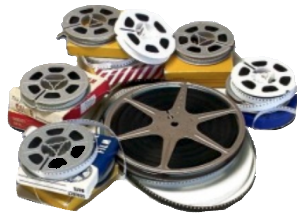
If you are one of the lucky few that has old 8mm movie film of your grandparents or family, it is time to get this old film digitized. The technology is not readily available to digitize this movie film and at some point the film becomes too brittle to run through the digital convertors. How sad it would be to lose a whole generation or more of ancestral videos.
Digitizing Family Videos
Converting VHS Tapes at Home
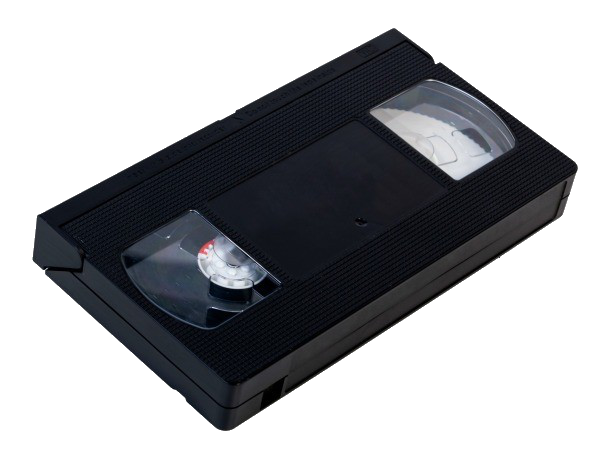
Many families have VHS (or other format) home movies of their family activities. As the machines that can play these tapes are no longer being manufactured, your home movies will no longer be viewable and your own family history will be lost. Time to get these tapes digitized!
Our local Idaho Falls Idaho FamilySearch Center has four VHS machines and the converter to digitize your VHS home movies to a .mp4 format. They also have 3 movie film digitizers to convert your old movie film to a digital movie file. Many other FamilySearch Centers have this equipment as well. Contact our library if you need help. If you are interested in help with basic video editing skills to remove parts you may not want in the film, or to create shorter video clips, we can also help with this.
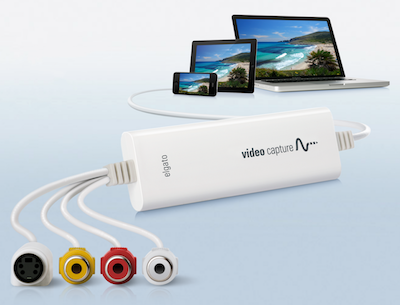
If you still have a working VHS player then it's time to consider getting those home VHS movies digitized before you no longer have access to a working VHS player. All you need is a computer, and what is called an Analog to Digital Convertor, which can be purchased online for about $50-$80. The elgato brand (below left) has been a brand that I have used over about 10 years. They usually come with the video capture applications.
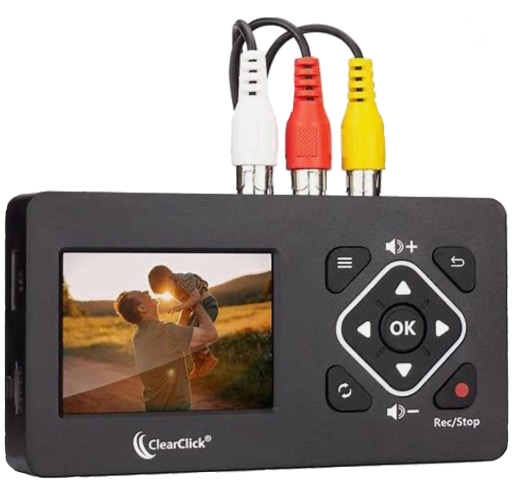
There are newer video digitizers that do not require a computer. ClearClick (below right) is one brand that runs about $130. If you have a lot of home videos to digitize, it might be worthwhile purchasing one and then later sharing it with family for them to do their videos. The device hooks directly to your VCR or video camera player and directly converts your tape to a digital .mp4 file. The quality is a bit better with this device than the ElGato.
Editing Digital Movies at Home

There are several free open-source video editors available and I have tried most all of them. By far, the easiest one to use is "OpenShot". Your one to two hour tape will likely include multiple "events" like a birthday, vacation, family reunion, Thanksgiving activity, Christmas time, and so on.
The process of taking your digitized mp4 movie and splitting it to smaller segments is quite easy to do. You can also remove any unwanted segments of your movie file. Creating smaller event segments makes it easier to find and watch just the segments you want to see. Smaller clips also make it easier to share with others. Realize that a full two hour movie can easily be 1-2 gb in size.

Use some of the organizational ideas on this site to label your movie clips. By far the easiest way is to just start with the year, month, and the event name. As an example: 1979(03)-Girl's Birthday Party. This would represent March 1979 with the event name afterward.
The rationale to putting the year first, is that when displaying your movies using Windows File Explorer, the movies will all be displayed in a sorted manner.,
Identify Each Person in Your Video Clips
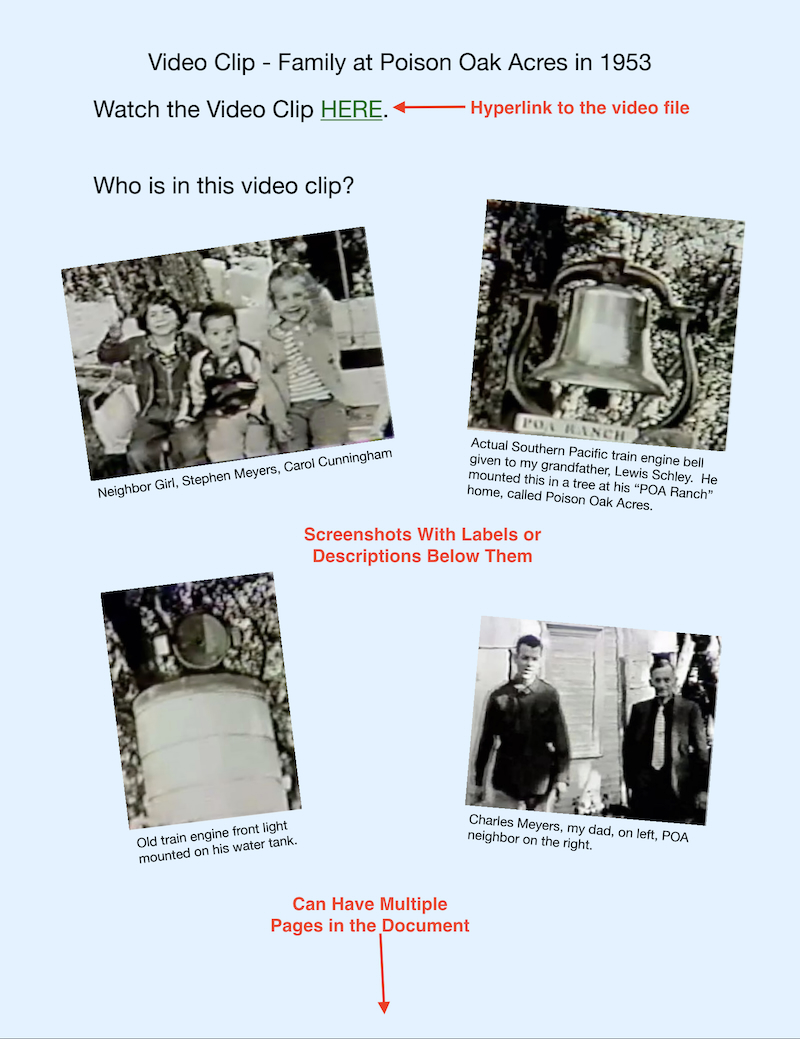
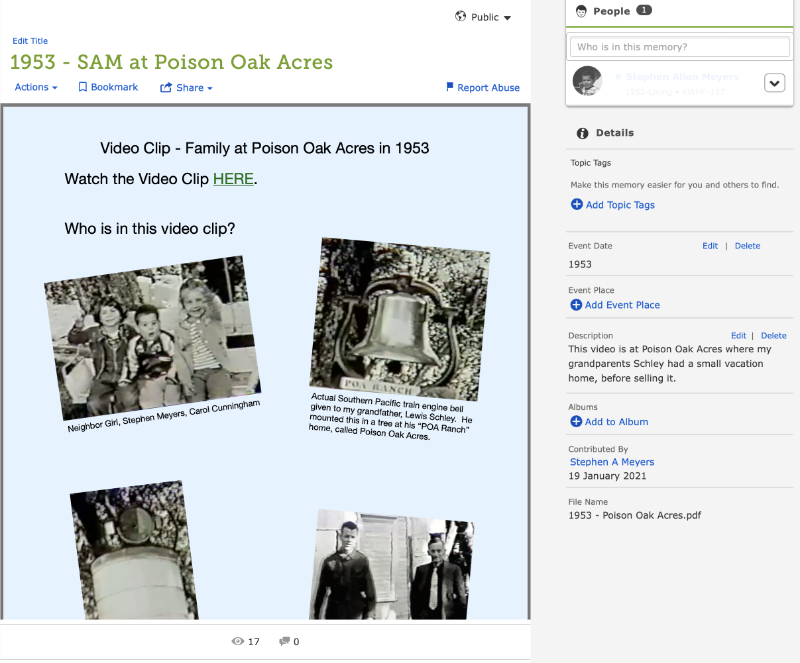
You can upload a PDF file to FamilySearch, effectively uploading the video clip for others to view. The green "HERE" link at the top of the page is a hyperlink that points to the video clip that is stored on YouTube cloud storage. By tagging every person in the video to this PDF file, the PDF file will be displayed on each of those person's "Memories" pages.
While you can't technically label people in the videos, as you might with photos, you can create a photo page that contains screenshots of those people in the video clip and then put an actual label with their name(s) just under the screenshot. In this way, anyone can watch the video and refer to the photo page(s) of screenshots and labels and identify each person. The easiest way to create these photo pages is with any word processor like Word, LibreOffice, and such.
One VERY nice aspect about preserving movie clips in the way described, is that you are also preserving who is in the movie clip. Screenshots of the people in the clip pasted into the word processing program allow you to name them. I have old movie film from the 1930s and had no idea who many of the folks were. My mother and I were able to travel together on an ocean cruise and during some of that time, I went through the old digitized movie films that were taken while she was growing up. We were able to identify each of the people in the digitized movies, so that I could label them. Without her help, these old movie clips would have been simply old movie clips with nameless faces. I was also able to extract a photo of my great grandfather from a couple of movie clips. I had no photos of him otherwise.
Do NOT let those old movies sit and become useless because no one knows who they are of. Spend time asking your grandparents who these individuals are, and then create a way to ensure that those individuals in the movie live on for years to come.
Some of My Videos Are Stored on DVD Disks

You may have had some of your old video tapes commercially converted and stored on DVDs. DVD's are no longer a good storage media, as they also degrade over time, get scratched, and can become unplayable. DVD's are already an outdated technology, and in fact, no longer come installed on newer computers.
It is a good idea to "rip" or copy the video file off the disk and store as a digital "mp4" video file. There is free software like VLC, Handbrake, and others that can accomplish this task. These files can be stored "in the cloud", on backup hard drives, and such. They can also be easily shared with other family members as well. The .mp4 video file is a common standard archive type and is easily played by many different computers or media devices.
When in FamilySearch under a person's Memory Page, find the memory you would like to view. Click on the green HERE link in the PDF file and the video clip will open in YouTube. You can also download the PDF file by clicking on the "Actions" menu.
NOTE: If you are using Safari as your browser, you will need to "command + left click" on the green link to open the video. It is a browser security "thing".
Click on the Image Above to See Actual Example
Can I Extract the Audio From The Video File?

You may find old video clips of ancestors telling stories, playing the piano, singing a song, or such. Did you know that you can extract the audio from the video clip and then save the audio as a "mp3" audio file. Audio files are easily uploaded to FamilySearch and can also be easily shared with family members. Your mp4 video file remains intact.
Many folks have recorded interviews of a parent(s) using their video recorder but would love to upload that interview to FamilySearch. Unfortunately, digital movie files can't be uploaded directly to FamilySearch, but the audio portion can be uploaded. It is a simple process of just importing the .mp4 video file into Audacity, an app used for editing audio files. Once imported you can then export the digital audio portion to a .mp3 file which no longer has the video portion attached to it.
What About 8mm Film?
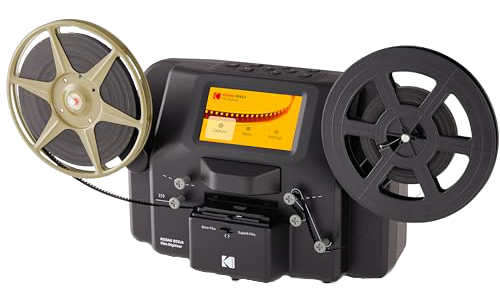
Old 8mm and Super 8mm film can be easily digitized using Kodak or Wolverine digitizers. These run about $400-500. If you only have a few tapes, I would suggest a commercial service to do this. Another option is to search for a FamilySearch Center near you and ask them if they have one of these units where you can convert your film to mp4 files.
Don’t Fear the “Cloud"

Many folks tell me thay they would NEVER use Cloud Drives like Google, Microsoft OneDrive, iCloud, and such because “they're just not safe." Over the years I have realized that many folks have horrible online safety practices, like having easy to guess passwords that they often use across many websites. They also do not use Two Factor Authentication to further protect their accounts. And even now, many will use “Passcodes” that use biometrics like fingerprint or facial recognition to further validat the logins. No wonder they hear the stories from their peers about being hacked.
With strong password protection, using the Two Factor Authentication, or passcodes, there is almost no chance of ever having your cloud drive information hacked. #1: They would have to know your very strong password and #2: hackers would have to have physical control of your phone or device to have access to your cloud files. If you don't practice strong password practices, then you will likely be hacked at some point. If you are interested in seeing if your information has been hacked (usernames & passwords, emails, etc), go to the site Have I Been Pawned and enter the information to see how many times your email or password has been associated with corporate breachs and is out there in the dark web to be utilized. You will be amazed at what you may find out.
There are good basic security procedures to keep your web files safe. Learn more about them. Also realize that Cloud Drives like Amazon, Microsoft, Google, Apple are going to be the most secure of the many options that are out there. Also, YouTube will host your videos for free, and as long as you set the permissions correctly, no one will even know they are there unless you share a link to those movies with family. However, I would not use YouTube as a backup option. Keep backups of your video files in another cloud or at least several physical hard drives.
YouTube Cloud Storage
YouTube is a FREE cloud option where you can upload you video files and then share them with family members. Each of your video files are assigned a specific “share link that can be used for a hyperlink in a Word document, or sent via text or email to family to view.
The disadvantage of YouTube Cloud is that even though you may initially mark your video files as “private”, if they are viewed often enough, then YouTube will start to add advertisements to your clips. I have not yet had that happen to the ones that I have posted.
