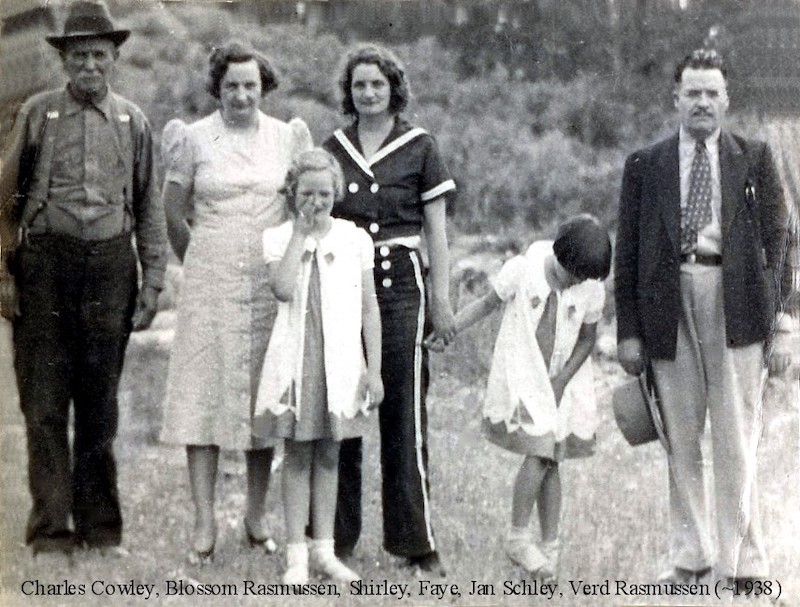
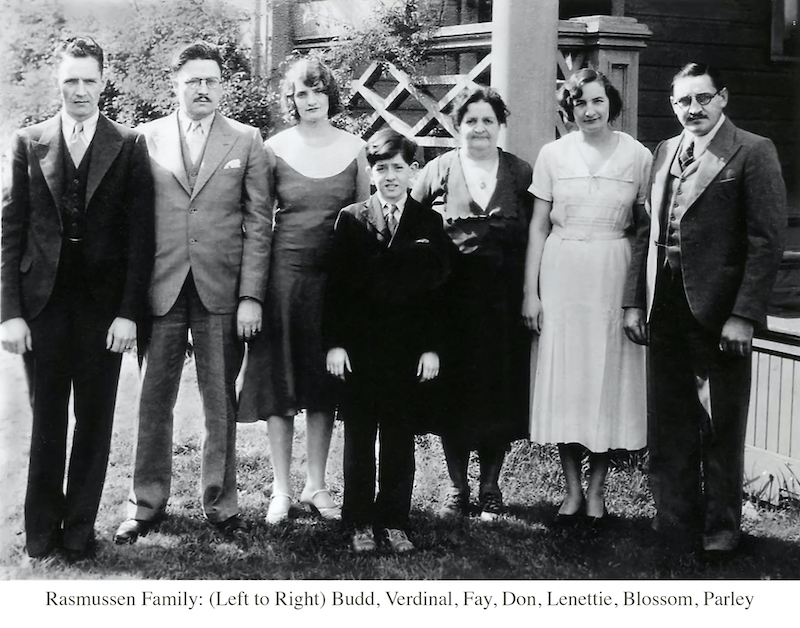
Have you ever wanted to label a photograph with all the names of those in the photograph? In the photos below, there are groups of people to label. There are different options that you could do to make sure that this photo is labeled for future posterity.
You could just place ALL the names into the photograph's filename, but that makes for a LONG filename! What if there are several more people in the group? The filename would get larger and that creates potential problems with computer operating system limitations.
You could just place ALL the names into the photograph's filename, but that makes for a LONG filename! What if there are several more people in the group? The filename would get larger and that creates potential problems with computer operating system limitations.
Add an additional "white space" onto the bottom of the photo for the text and leave the photo alone. This does not resize nor destroy the photo for the future. It increases the "canvas" size on which the photo sits. We can show you how this is done.
Many think of a photo as "one dimension". Imagine a digital image sitting on top of a "canvas" just like the paint of a portrait sits on top of a canvas. With digital images, we can increase the size of the canvas without changing the size of the digital image. The extra canvas space allows us to add additional digital objects to the overall "photo", like a text box filled with descriptive text for example.